Realistic Portrait AI Prompt for AI Image Generation
Generate studio-quality portraits that look like they came from an actual camera session. These prompts are written using real photography language, lens focal lengths, lighting setups, and skin rendering tags, and each one has been tested inside Kalon Studio. The sample images on this page are direct outputs with no retouching.
Most AI prompt collections either focus on artistic styles or dump hundreds of unverified user submissions with no context. Neither approach helps if you need a clean, photorealistic headshot for a professional profile or a cinematic portrait for a creative project. Kalon's realistic portrait prompts are specific, tested, and ready to paste.
Below you'll find a base prompt built around classic studio photography principles, followed by variations for corporate headshots, golden hour portraits, film noir compositions, and more. Each one includes a copy button. There's also a section explaining why certain camera and lighting tags matter, a negative prompt tuned to avoid the most common realism failures, and practical guidance on getting consistent results.
Prompt Text
This prompt generates a clean, detailed photorealistic portrait using studio photography conventions. It works well for headshots, editorial portraits, and general-purpose realistic character images.
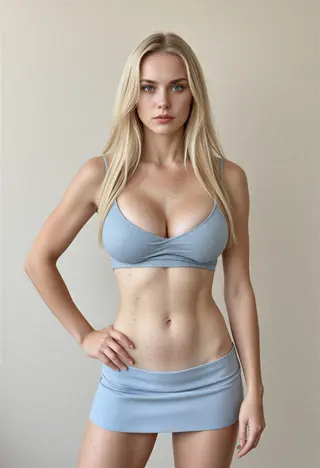
RAW photo, best quality, photorealistic, portrait, 1woman, detailed face, realistic skin texture, visible pores, natural makeup, soft studio lighting, 85mm lens, shallow depth of field, neutral gray background, sharp focus, high resolution, 8k
Understanding This Prompt
The base prompt follows the structure that real photographers use when describing a shot. Each section targets a specific part of the image generation pipeline.
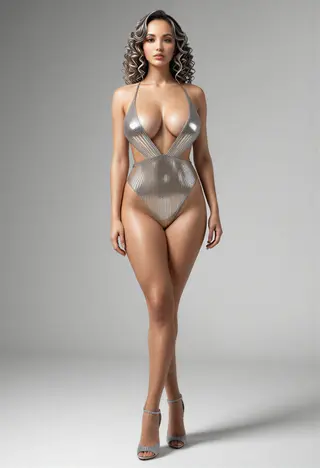
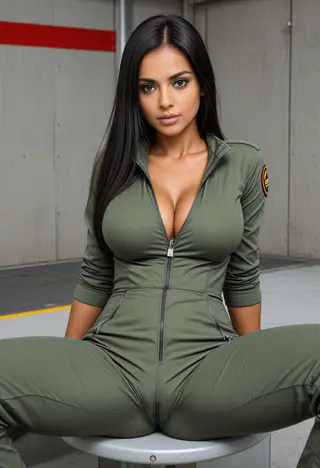
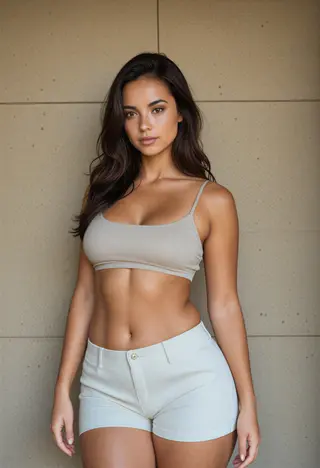
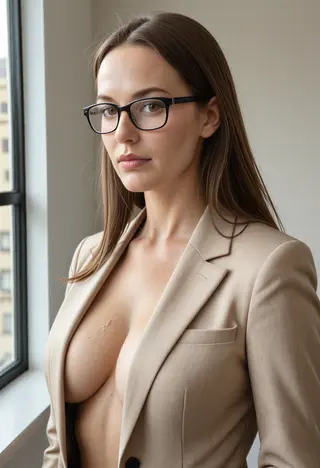
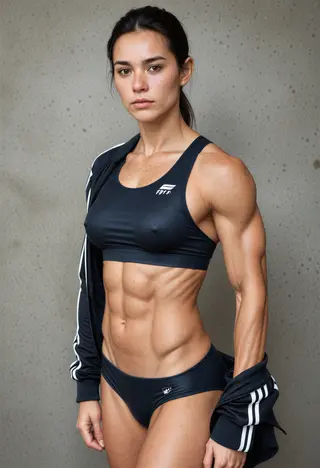
Sample Outputs: Professional Headshot Prompt
All images generated on Kalon Studio using the base prompt above. No post-processing, color correction, or retouching applied.
Where To Use These Portraits
These prompts cover the most common professional and creative applications. Selecting the right aspect ratio and lighting style for each context produces noticeably better results.
LinkedIn and Professional Profiles
A clean headshot with studio lighting and a neutral background works across LinkedIn, company websites, email signatures, and conference bios. Use a 1:1 square crop.
Resume and Portfolio Photos
Soft, even lighting with a subtle background gradient reads well at small thumbnail sizes and in printed formats. Stick to 3:4 portrait orientation.
Editorial and Creative Projects
Cinematic lighting, dramatic shadows, and environmental backgrounds add personality. Use these for blog headers, author photos, social media features, or concept art references. Aspect ratio depends on placement — 4:5 for Instagram, 16:9 for banners.
Character Reference and Concept Design
Game designers, writers, and filmmakers use photorealistic AI portraits as visual references for characters. Generate multiple variations of the same prompt to explore different looks.
Prompts Variations
Each variation below shifts the lighting, setting, or mood while maintaining the same photorealistic base. Copy the one that fits your project, or adjust individual tags to build your own.
Professional Corporate Headshot
Clean executive portrait for business profiles and company pages.
RAW photo, best quality, photorealistic, corporate headshot, 1man, confident expression, tailored navy suit, white shirt, soft three-point lighting, clean gray backdrop, 85mm lens, shallow depth of field, realistic skin texture, sharp focus, 8k
Golden Hour Portrait
Warm outdoor portrait with natural backlight and soft color tones.
RAW photo, best quality, photorealistic, outdoor portrait, 1woman, golden hour sunlight, warm backlight, sun flare, soft shadows on face, windswept hair, natural skin tones, 50mm lens, bokeh background, green foliage, high resolution
Cinematic Film Still
High-contrast editorial portrait with dramatic side lighting.
RAW photo, best quality, cinematic portrait, dramatic side lighting, deep shadows, 1woman, intense gaze, dark background, teal and orange color grade, film grain, 35mm anamorphic lens, shallow depth of field, hyper-realistic, moody atmosphere
Studio Beauty Shot
Fashion and beauty photography style with polished detail.
RAW photo, best quality, beauty photography, close-up portrait, 1woman, flawless skin, detailed eyes, soft diffused lighting, butterfly lighting setup, white seamless background, 100mm macro lens, high detail, editorial magazine quality, 8k
Environmental Portrait
Subject in context with a real-world location adds narrative depth.
RAW photo, best quality, environmental portrait, 1man, casual clothing, standing in workshop, natural window light, shallow depth of field, textured wood background, dust particles in light, 35mm lens, authentic atmosphere, photojournalism style
More Lighting And Style Setups
Six additional prompt templates that target specific photographic styles. Each one produces a distinctly different look from the base variations above.
RAW photo, photorealistic portrait, Rembrandt lighting, triangle of light on cheek, deep shadows, 1woman, dark background, oil-painting-like quality, warm tones, 85mm lens, dramatic contrast, fine art photography, visible skin textureRAW photo, photorealistic, film noir portrait, black and white, high contrast, hard shadows, 1man, fedora hat, trench coat, venetian blind shadow pattern, moody atmosphere, 50mm lens, classic cinema, grain textureRAW photo, best quality, indoor portrait, soft window light, 1woman, natural expression, linen clothing, warm afternoon tones, shallow depth of field, 85mm lens, minimalist room background, realistic skin, gentle shadowsRAW photo, photorealistic, night street portrait, 1man, neon sign reflections on face, rain-wet pavement, cyan and magenta lighting, urban background, 35mm lens, high ISO grain, cinematic mood, bokeh city lightsRAW photo, photorealistic, high-key portrait, bright white background, soft even lighting, 1woman, minimal shadows, clean and fresh look, 70mm lens, fashion photography, crisp detail, commercial advertising styleRAW photo, photorealistic, vintage film portrait, Kodak Portra 400 color tones, subtle film grain, soft warm tones, 1woman, natural outdoor setting, slightly faded highlights, 50mm lens, nostalgic atmosphere, analog photography feelNegative Prompt for Photorealistic Portraits
This negative prompt is tuned specifically for realistic portrait generation. It targets the artifacts most common in photorealistic AI output, plastic-looking skin, anatomical errors, and unwanted style drift into illustration or 3D rendering territory.
Negative Prompt:
cartoon, anime, illustration, painting, 3D render, CGI, bad anatomy, bad hands, extra fingers, missing fingers, distorted face, blurry, deformed, disfigured, poorly drawn face, mutation, extra limbs, watermark, text, oversaturated, plastic skin, airbrushed, smooth skin, doll-like
Explanation: The first six tags prevent style bleed, keeping the output firmly in photography territory instead of drifting into anime, digital painting, or 3D rendering. The anatomy tags handle structural failures. The final four tags, "plastic skin," "airbrushed," "smooth skin," "doll-like", are critical for realism. Without them, most AI models default to an over-smoothed, artificial skin texture that immediately breaks the photorealistic illusion.
How to Generate Realistic Portraits on Kalon Studio
- Open Kalon Studio and go to the Generate tab.
- Copy any prompt from this page using the copy buttons provided.
- Paste it into the main prompt field. Replace character tags, "1woman" to "1man", and adjust hair or clothing descriptions to match your needs.
- Paste the negative prompt from the section above into the negative prompt field.
- Select your aspect ratio. Use 1:1 for headshots, 3:4 for portfolio portraits, 4:5 for Instagram, and 16:9 for banners or headers.
- Click Generate. For realistic portraits, running the same prompt 3-4 times often produces one standout result. Review all outputs before selecting your final image.
DO / DON'T: Getting Realistic Results
✅ DO:
❌ DON'T:
How Kalon Compares for Realistic AI Portraits
A direct comparison of features relevant to photorealistic portrait generation across major platforms.
| Feature | Kalon Studio | CyberLink MyEdit | Canva AI Headshots | PromptHero |
|---|---|---|---|---|
| Pre-tested realistic prompts | Curated with camera specs | Blog guides, no integration | None, auto-generate only | User-submitted, unverified |
| Negative prompt support | Yes, per template | Limited | No | Depends on the model |
| Prompt anatomy education | Explained per section | Tip-based | None | None |
| Reference photo upload | Supported | Supported | Supported | Not Available |
| Sample outputs shown | Kalon-generated, verified | Stock examples | Generic previews | User-uploaded, varied |
| Custom aspect ratios | Selectable pre-generation | Limited presets | Fixed options | N/A |
| Free access | Daily coins included | Limited free credits | 2 free credits | Limited free tier |
| NSFW content option | Consent controls | Blocked | Blocked | Model-dependent |
Frequently Asked Questions
Generate a Studio-Quality Portrait Now
No photographer, no studio, no appointment. Paste a prompt and get a photorealistic portrait in seconds, free on Kalon.
Start Generating Free