Anime Portrait Prompts for AI Image Generation
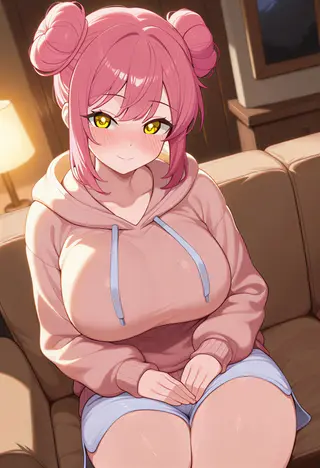
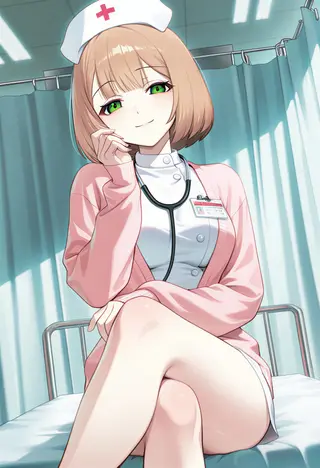
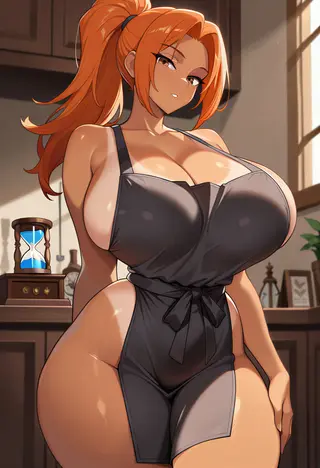
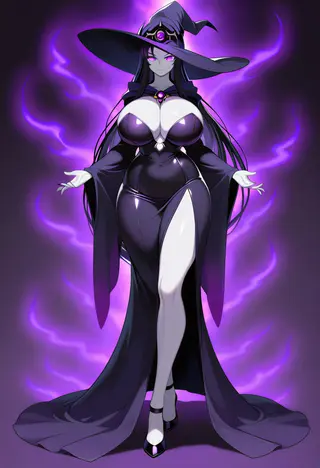
Create anime-style character portraits using tested AI prompts that work right out of the box. Every prompt on this page has been written, refined, and tested inside Kalon Studio, the sample images below are real outputs generated from these exact prompts, with no editing or post-processing applied.
Most prompt libraries give you a wall of text and leave you guessing which AI model, settings, or parameters to use. That approach wastes time. Kalon's anime portrait prompts are built for one platform, and the results match what you see here. Copy a prompt, paste it into the generator, and get a finished portrait in seconds.
You'll find a base prompt for clean, detailed anime portraits, along with multiple style variations, from soft kawaii pastels and moody dark aesthetics to high-energy cyberpunk and hand-painted Ghibli-inspired art. Each one comes with a copy button. Further down, there's a breakdown of how the prompt works, a recommended negative prompt to avoid common artifacts, and tips to help you write your own.
Create Stunning Anime-Style Portraits Instantly
This prompt generates a high-quality anime-style portrait with sharp facial features, expressive eyes, vibrant hair tones, and cinematic lighting. Ideal for profile pictures, character art, social media avatars, or creative illustrations. It enhances depth, clarity, and overall visual impact while maintaining a polished, professional anime aesthetic.
masterpiece, best quality, ultra detailed, anime style portrait, 1girl, beautiful face, expressive, detailed eyes, long flowing hair, vibrant, colorful hair, soft cinematic lighting, detailed background, sharp focus, depth of field, high resolution, 8k
Understanding This Prompt
The base prompt uses six distinct components, each doing a specific job. Understanding them helps you customize prompts for your own characters instead of relying on copy-paste alone.
See What This Prompt Can Create
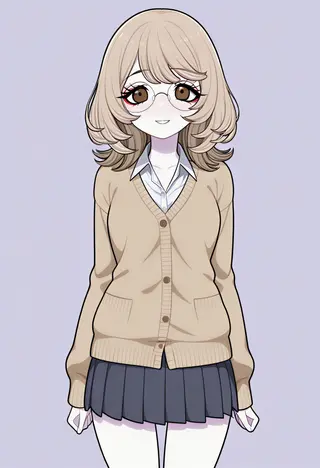
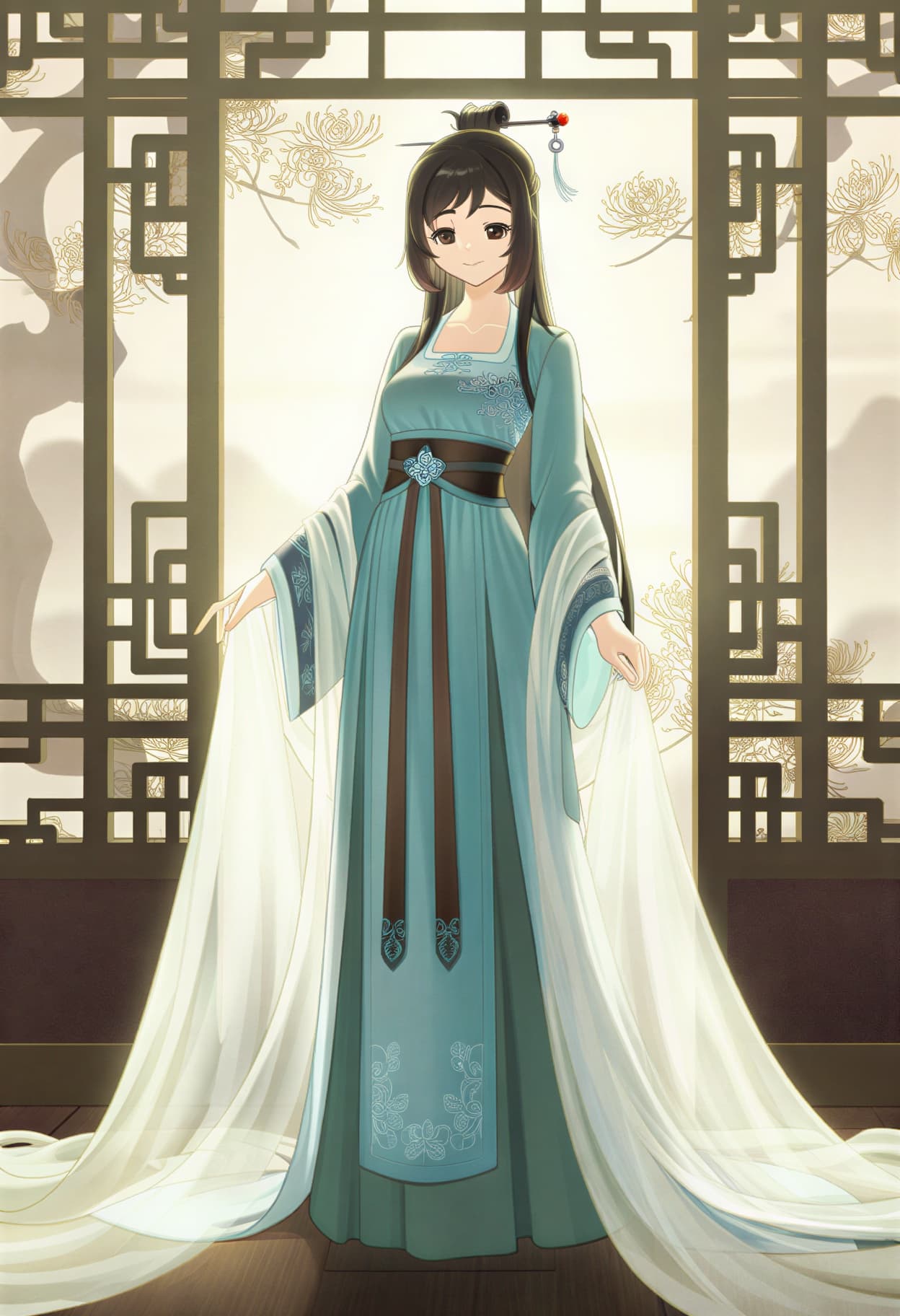
These images were generated using Kalon Studio, showcasing the high-quality detail, vibrant colors, and professional lighting this prompt can produce.
Each result highlights sharp facial features, balanced composition, and clean anime aesthetics, proving how powerful and consistent the output can be when used correctly.
What Can You Create?
These anime portrait prompts work well across several common applications. Choosing the right aspect ratio for each makes a noticeable difference in output quality.
Profile Pictures and Avatars
Stand out on Discord, Twitch, Instagram, or gaming platforms with a custom anime portrait instead of a default avatar. Use a 1:1 square crop for most platforms.
Character Concept Art
Use these prompts as a starting point for visual novel characters, tabletop RPG portraits, indie game assets, or illustration references. A 2:3 or 3:4 portrait ratio works best.
Social Media Content
Anime-style visuals consistently outperform stock imagery in engagement on visual platforms. Use 4:5 for Instagram feed posts and 9:16 for Stories, Reels, and TikTok.
Phone and Desktop Wallpapers
Add "scenic background" or "detailed landscape" to your prompt for wallpaper-ready compositions. Use 9:16 for phone screens and 16:9 for desktop monitors.
Prompt Variations
Each variation below adjusts the mood, color palette, and visual direction while keeping the same core structure. Copy the one closest to your vision, or use it as a starting point for your own edits.
Cute Anime Portrait
Soft pastel palette with kawaii features and a cheerful expression.
masterpiece, best quality, anime style, portrait, 1girl, cute face, big eyes, short hair, kawaii, pastel colors, soft lighting, cheerful expression, detailed background
Dark Anime Portrait
Dramatic lighting with gothic elements and a moody atmosphere.
masterpiece, best quality, anime style, portrait, 1girl, beautiful face, detailed eyes, dark hair, dramatic lighting, moody atmosphere, gothic, detailed background
Fantasy Anime Portrait
Magical elements with ethereal lighting and a high-fantasy setting.
masterpiece, best quality, anime style, portrait, 1girl, beautiful face, detailed eyes, fantasy character, magical elements, ethereal lighting, detailed background, high fantasy
Cyberpunk Anime Portrait
Neon-lit features with futuristic tech accents and an urban atmosphere.
masterpiece, best quality, anime style, portrait, 1girl, cyberpunk, neon-lit face, glowing cybernetic accents, rain reflections, dark futuristic city, holographic UI elements, synthwave
Studio Ghibli Style
Warm, hand-painted aesthetic with soft watercolor textures and natural settings.
masterpiece, best quality, Studio Ghibli style, anime portrait, 1girl, gentle expression, soft watercolor textures, warm diffused lighting, lush natural background, hand-drawn aesthetic, painterly brushstrokes
More Anime Styles
Six additional anime aesthetics, each with a distinct visual identity. These produce noticeably different results from the variations above, use them when you want to target a specific art style.
masterpiece, best quality, chibi anime style, 1girl, oversized head, tiny cute body, big sparkling eyes, pastel colors, soft rounded shapes, kawaii expression, clean vector art, simple gradient backgroundmasterpiece, best quality, shonen anime style, 1boy, intense, determined expression, dynamic action pose, energy aura, wind-blown hair, dramatic lighting, cel-shaded, high contrastmasterpiece, best quality, gothic anime, dark romance, 1girl, pale skin, flowing dark hair, Victorian lace dress, moonlit castle background, dramatic shadows, moody atmosphere, elegantmasterpiece, 90s anime style, retro anime portrait, 1girl, thick outlines, cel-shaded, film grain, VHS aesthetic, bold colors, nostalgic, vintage anime, hand-drawn lookmasterpiece, best quality, ethereal anime, dreamlike portrait, 1girl, floating hair, soft glow, cosmic background, aurora lights, delicate sparkles, translucent elements, pastel cosmic palettemasterpiece, manga style, black and white, 1girl, sharp professional lineart, screentone shading, high contrast monochrome, clean ink lines, detailed hair strands, white backgroundRecommended Negative Prompts
Negative prompts tell the AI what to avoid during generation. Pasting the string below into Kalon Studio's negative prompt field eliminates the most common artifacts in anime AI art, extra fingers, distorted facial features, unwanted text overlays, and unintentional style drift into 3D or photorealistic territory.
Negative Prompt:
low quality, bad anatomy, bad hands, extra fingers, missing fingers, distorted face, blurry, deformed, ugly, extra limbs, mutation, disfigured, poorly drawn face, watermark, text, 3D, realistic, CGI, extra eyes
Explanation: This covers the top 15 failure modes across most AI image models. If you want a slightly more realistic anime look, closer to films by Makoto Shinkai, remove "realistic" from the list. For standard anime portraits, paste it as-is.
How To Use The Prompt
- Open Kalon Studio and go to the Generate tab.
- Copy a prompt from this page using any of the copy buttons above.
- Paste it into the prompt field. To customize, add, or replace character details such as hair color, expression, clothing, and accessories.
- If you have a reference photo, upload it under the Image Reference option to blend your likeness with the anime style.
- Select your preferred aspect ratio: 1:1 for profile pictures, 2:3 for character art, 9:16 for phone wallpapers.
- Click Generate. Review the output and regenerate or adjust the prompt until you are satisfied with the result.
Tips For Better Anime Portraits
✅ DO:
❌ DON'T:
Kalon Vs Other Anime AI Generators
A side-by-side look at how Kalon Studio compares to other platforms for anime portrait generation.
| Feature | Kalon Studio | PromptHero | OpenArt | Midjourney |
|---|---|---|---|---|
| Pre-tested prompts | Curated, verified | User-submitted | User-submitted | None |
| Prompt variations | 5-8 with copy buttons | Single per post | Single per post | None |
| Negative prompts included | Yes, per template | No | No | No |
| Built-in generator | Direct on-page | Links external | Built-in | Discord-based |
| NSFW support | Consent controls | Filtered | Limited | Blocked |
| Reference photo upload | Supported | No | Partial | Yes |
| Free daily credits | Included | Limited | Limited | Paid only |
| Aspect ratio presets | Selectable | No | Yes | Yes |
Frequently Asked Questions
Click Here to Try This Prompt Free on Kalon
See how this prompt performs in real time. Test it instantly on Kalon AI and unlock high-quality, realistic outputs without trial and error.
Generate Stunning Results